---
title: TimeSentry Pre-Onboarding Checklist (MyCase)
description: A checklist for everything you need to know before the onboarding call to set up your TimeSentry account with MyCase.
---
[Skip to content](https://help.timesentry.ai/timesentry-pre-onboarding-checklist-for-mycase#main-content)
English
Show submenu for translations

Open main navigation
Close main navigation
- English
Show submenu for translations
- [Contact us](https://timesentry.ai/contact)
[Contact us](https://timesentry.ai/contact)
How can we help you?
- There are no suggestions because the search field is empty.
1. [TimeSentry Knowledge Base](https://help.timesentry.ai/?hsLang=en)
2. [Getting Started](https://help.timesentry.ai/getting-started?hsLang=en)
3. [Clio and MyCase onboarding checklists](https://help.timesentry.ai/getting-started?hsLang=en#clio-and-mycase-onboarding-checklists)
# TimeSentry Pre-Onboarding Checklist (MyCase)
## What you need to have ready before you connect MyCase to your TimeSentry account.
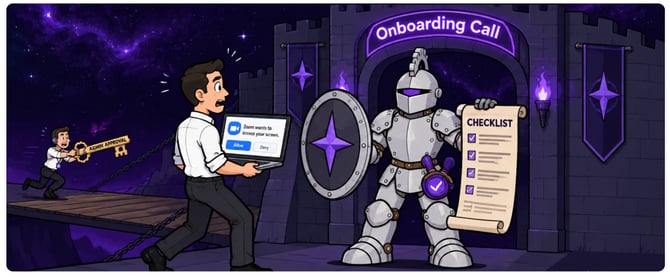
#### Admin & IT Approvals
TimeSentry needs access to several permissions that can only be approved by an **administrator**. If you are not the admin, forward this section to whoever manages your Microsoft account before the call.
- **Microsoft 365 / Outlook**: The person approving needs to be at least a Cloud Application Administrator, or a Privileged Role Administrator
[Approval link for your IT/Admin](https://login.microsoftonline.com/common/adminconsent?client_id=e731560e-20fa-463e-aa1c-b541e35446d5&redirect_uri=https://timesentry.ai/auth-response)
- **MyCase**: each user's account must have the permission "Allow this user to manage your firm's preferences, billing, and payment options" turned on
#### Your Computer & Zoom
Joining from your work laptop and screen sharing are utilized to thoroughly walk you through the process
- **Join from the computer you work on every day**, not a phone or tablet, and be at your desk for the whole session.
- **Screen sharing works in Zoom.**
- On a **Mac**, allow Zoom under System Settings \> Privacy & Security \> Screen Recording, then restart Zoom. Test a share before the call.

- **Camera and audio work**, so we can see and hear everyone clearly.
#### Accounts and information to have ready
- **Log-in credentials** for each system we will connect: your email (Outlook/Microsoft or Gmail), calendar and MyCase.
- **Two-factor codes within reach**, since connecting MyCase, or Microsoft usually prompts for a verification code.
#### Who should attend
- **Everyone in the trial group** joins from their own computer, ideally together, so we onboard the whole group in one session.
- **An admin or IT contact** is on the call or reachable by phone, to approve permissions on the spot.
- **One decision-maker** can answer questions about approval workflow, privacy, and who will be the firm admin.
- **Time block**: please hold 45 minutes.
On the call we will connect your accounts, generate your first time entries, show how to review and sync them, and agree on a check-in one to two weeks later.
Questions before your session? Reach out at isabella@timesentry.ai
- [Getting Started](https://help.timesentry.ai/getting-started?hsLang=en#main-content)
- [Clio and MyCase onboarding checklists](https://help.timesentry.ai/getting-started?hsLang=en#clio-and-mycase-onboarding-checklists)
- [Capture and sync your first time entries](https://help.timesentry.ai/getting-started?hsLang=en#capture-and-sync-your-first-time-entries)
- [Review your week in TimeSentry](https://help.timesentry.ai/getting-started?hsLang=en#review-your-week-in-timesentry)
- [Integrations](https://help.timesentry.ai/integrations?hsLang=en#main-content)
- [Practice Management](https://help.timesentry.ai/integrations?hsLang=en#practice-management)
- [Email, Calendar, Chat & Phone](https://help.timesentry.ai/integrations?hsLang=en#email-calendar-chat-phone)
- [Accounting & Payroll](https://help.timesentry.ai/integrations?hsLang=en#accounting-payroll)
- [Desktop, Browser, Mobile & Office](https://help.timesentry.ai/integrations?hsLang=en#desktop-browser-mobile-office)
- [Choose & Manage Connections](https://help.timesentry.ai/integrations?hsLang=en#choose-manage-connections)
- [Settings](https://help.timesentry.ai/settings?hsLang=en#main-content)
- [Preferences & Rules](https://help.timesentry.ai/settings?hsLang=en#preferences-rules)
- [Company settings and team access](https://help.timesentry.ai/settings?hsLang=en#company-settings-and-team-access)
- [Account & Subscription](https://help.timesentry.ai/settings?hsLang=en#account-subscription)
- [Privacy & Recording](https://help.timesentry.ai/settings?hsLang=en#privacy-recording)
- [API Keys & MCP](https://help.timesentry.ai/settings?hsLang=en#api-keys-mcp)
- [Troubleshooting](https://help.timesentry.ai/troubleshooting?hsLang=en#main-content)
- [Login & Access](https://help.timesentry.ai/troubleshooting?hsLang=en#login-access)
- [Missing or Incorrect Entries](https://help.timesentry.ai/troubleshooting?hsLang=en#missing-or-incorrect-entries)
- [Billing & Sync](https://help.timesentry.ai/troubleshooting?hsLang=en#billing-sync)
- [Capture Apps](https://help.timesentry.ai/troubleshooting?hsLang=en#capture-apps)
- [Time](https://help.timesentry.ai/time?hsLang=en)
- [Expense](https://help.timesentry.ai/expense?hsLang=en)
- [Tasks](https://help.timesentry.ai/tasks?hsLang=en)
- [Notes](https://help.timesentry.ai/notes?hsLang=en)
- [Documents](https://help.timesentry.ai/documents?hsLang=en)
- [Finance](https://help.timesentry.ai/finance?hsLang=en)
- [Analytics](https://help.timesentry.ai/analytics?hsLang=en)
- [Org](https://help.timesentry.ai/org?hsLang=en)
- [Other Platform Features](https://help.timesentry.ai/other-platform-features?hsLang=en)
- [FAQs](https://help.timesentry.ai/faqs?hsLang=en)
- [Archive](https://help.timesentry.ai/archive?hsLang=en)
[](http://www.timesentry.ai)
[mailto:email@email.com](mailto:email@email.com)
Copyright © 2026, TimeSentry